

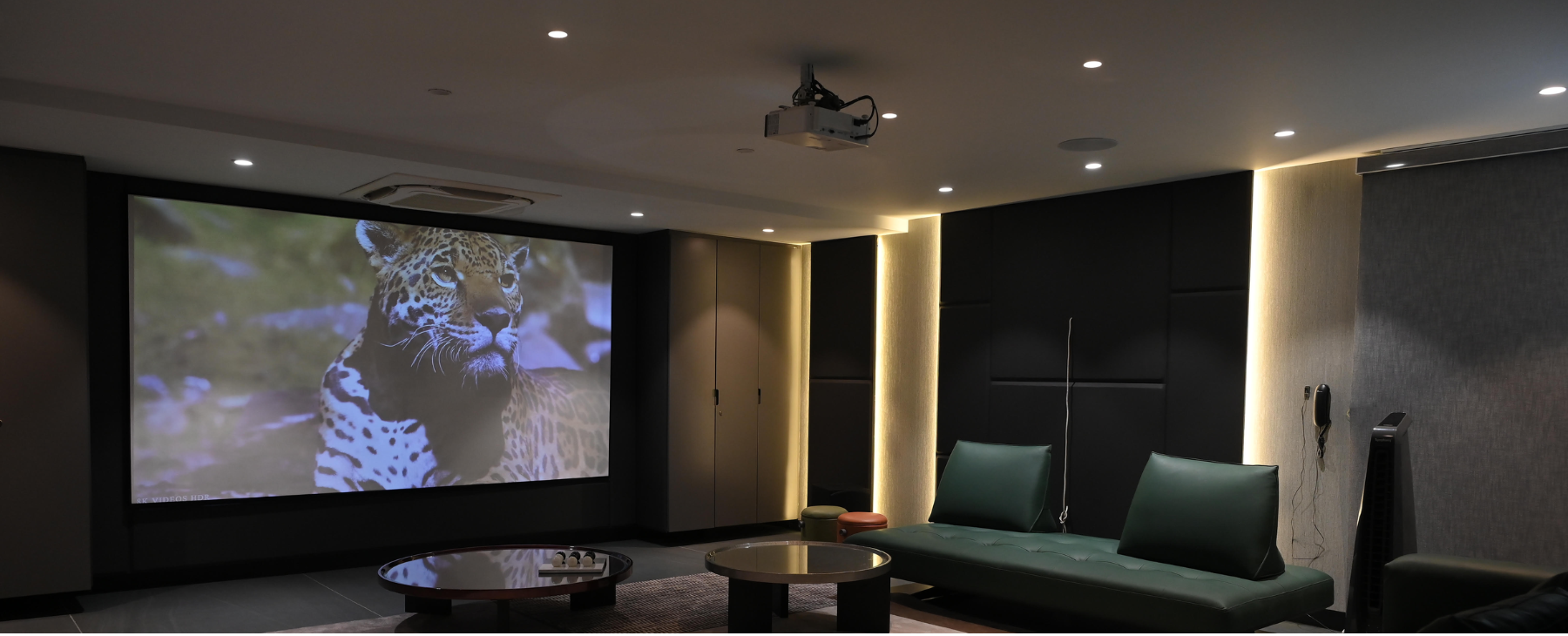
You don't need a mansion or a massive budget to have a real cinema experience at home. Whether you have a spare room, a living room corner, or just a blank wall — this guide walks you through every step of building your first home theatre, the right way.
Step 1 — Start With Your Room
The very first thing to figure out before buying anything is your room. Room size, shape, and layout will determine almost every decision — from projector throw distance to screen size. Most home theatres aim for at least a 100-inch projection, which requires 2.5 to 3.5 meters of room depth.
Key Questions to Ask About Your Room
- How deep is the room? (This determines throw distance)
- Is there a dedicated wall or screen space?
- Can you control the light with curtains or blackout blinds?
- Where will viewers sit — and how far from the screen?
- Is there a power outlet near the projector placement?
| Projector Type | Throw Distance (100") | Best For |
| Ultra Short Throw (UST) | 0.5 – 0.9 meters | Small rooms, close wall placement |
| Short Throw | 0.9 – 2.2 meters | Medium rooms |
| Standard / Long Throw | 2.5 – 3.5+ meters | Dedicated theatre rooms |
Step 2 — Understand Room Lighting
Lighting is the most underrated factor in home theatre setups. A projector that looks stunning in a dark room can look washed out in a bright living room. Always look for ANSI lumens — it is the industry-standard measure. Other lumen ratings (ISO, peak) can be misleading.
| Room Type | Required Brightness | Notes |
| Fully dark / blackout room | 1,500 – 2,000 ANSI lumens | Best image quality |
| Living room with some light | 2,000 – 3,000 ANSI lumens | Curtains recommended |
| Bright room/outdoors | 3,000+ ANSI lumens | ALR screen helps a lot |
Step 3 — 4K vs Full HD: What Should You Pick?
If you are setting up a proper home theatre, go for 4K. Full HD (1080p) has 2 million pixels per frame. True 4K has 8.3 million pixels — four times sharper. On a 100-inch screen, the difference is immediately visible in close-up detail, textures, and dark scenes.
| Resolution | Pixels | Best For |
| Full HD (1080p) | 2.1 million | Budget setups, smaller screens |
| Enhanced 4K | 4.1 million (simulated) | Mid-range upgrade |
| True 4K UHD | 8.3 million | Best home cinema experience |
Step 4 — Projector Technology Explained
Modern projectors use one of three light sources: LED, Laser, or lamp-based. Lamp projectors are being phased out — the EU banned them in 2026. Focus on LED and Laser options for any new purchase.
| Feature | LED | Laser | Old Lamp |
| Instant On/Off | ✓ Yes | ✓ Yes | ✗ Warm-up needed |
| Lifespan | 20,000+ hrs | 30,000+ hrs | 2,000 – 4,000 hrs |
| Color Quality | Very Good | Excellent | Good |
| Mercury-Free | ✓ Yes | ✓ Yes | ✗ Contains mercury |
| Noise Level | Low | Very Low | High |
| Cost | Moderate | Higher | Low (replacements are costly) |
Step 5 — Sound System Setup
Great visuals without great sound are only half the cinema experience. Sound accounts for roughly 50% of what makes a movie feel immersive. Here are your three main options:
Option A — Budget Sound
A good 2.1 soundbar with a subwoofer placed below or beside the screen. Clean, simple, and effective for most people starting.
Option B — Mid-Range (Recommended for First Timers)
A 5.1 surround setup with a receiver, front left/right speakers, a center channel, rear surrounds, and a subwoofer. This creates genuine directional audio — you will hear things move across the room.
Option C — Full Dolby Atmos
Dolby Atmos adds height channels, meaning sound moves not just left/right but also above you. Best for dedicated theatre rooms where you can mount ceiling or upward-firing speakers.
- Place the center channel speaker directly below or above the screen
- Rear speakers should be at ear level when seated
- Subwoofer placement in a corner boosts bass significantly
- Use an Audio-Video receiver to manage multiple speaker channels
- Run speaker calibration software after setup (most receivers include this)
Step 6 — Screen vs Bare Wall
Your wall can serve as a temporary starting point, but a dedicated projection screen noticeably improves image quality — especially in colour accuracy, contrast, and sharpness. For comfortable movie watching, your seating distance should be roughly 1.3x the screen diagonal for cinema-style immersion.
| Screen Type | Best For | Price Range |
| Fixed Frame Screen | Dedicated theatre rooms | Mid to High |
| Motorized Retractable | Living rooms (dual purpose) | Mid to High |
| Manual Pull-Down | Budget setups | Low to Mid |
| Portable / Tripod | Flexible/outdoor use | Low |
| ALR Screen | Rooms with ambient light | High |
Step 7 — Connections & Devices
Your home theatre needs a few key connections to work smoothly. Here is what to look for when choosing your projector and devices:
- HDMI 2.1 — for 4K/120Hz and HDR content (gaming too)
- HDMI ARC/eARC — sends audio back to your soundbar through a single cable
- USB-C — newer projectors support USB-C for laptop and device mirroring
- Wi-Fi / Android TV built-in — for streaming without an extra device
- Bluetooth — for wireless headphones during late-night viewing
Step 8 — Budget Breakdown
Home theatres can be built at almost any budget. Here is a realistic breakdown for three tiers:
| Tier | Budget | What You Get |
| Starter | ₹40,000 – ₹80,000 | 1080p projector, basic soundbar, white wall or basic screen |
| Mid-Range | ₹1,00,000 – ₹2,50,000 | True 4K projector, 5.1 sound, motorized screen, streaming device |
| Premium | ₹3,00,000+ | Laser 4K projector, Dolby Atmos setup, ALR screen, acoustic treatment |
Final Thoughts
The best home theatre is the one that fits your room, your budget, and your lifestyle. Start simple — even a mid-range 4K projector and a decent soundbar will completely transform your movie nights. You can always upgrade over time.
Frequently Asked Questions
Do I need a dedicated room for a home theatre?
No. A living room works perfectly with the right projector brightness and some light control. A dedicated room just gives you more flexibility with sound and lighting.
Is a 4K projector worth it over a 4K TV?
For screen sizes above 100 inches, a projector is significantly more cost-effective. A 100-inch 4K TV can cost 5 to 10 times more than a comparable 4K projector setup.
What internet speed do I need for 4K streaming?
Netflix recommends at least 25 Mbps for stable 4K streaming. For HDR content or multiple devices streaming simultaneously, aim for 50 to 100 Mbps for a smooth experience.
How loud is a home projector?
Modern LED and laser projectors run between 24 and 30 dBA — similar to a quiet library. Older lamp projectors were much louder. Eco mode reduces noise further.
Can I use my home theatre for gaming too?
Absolutely. Look for a projector with low input lag (under 16ms) and at least 120Hz refresh rate at 1080p. Many modern gaming projectors also support 4K/60Hz for console gaming.