

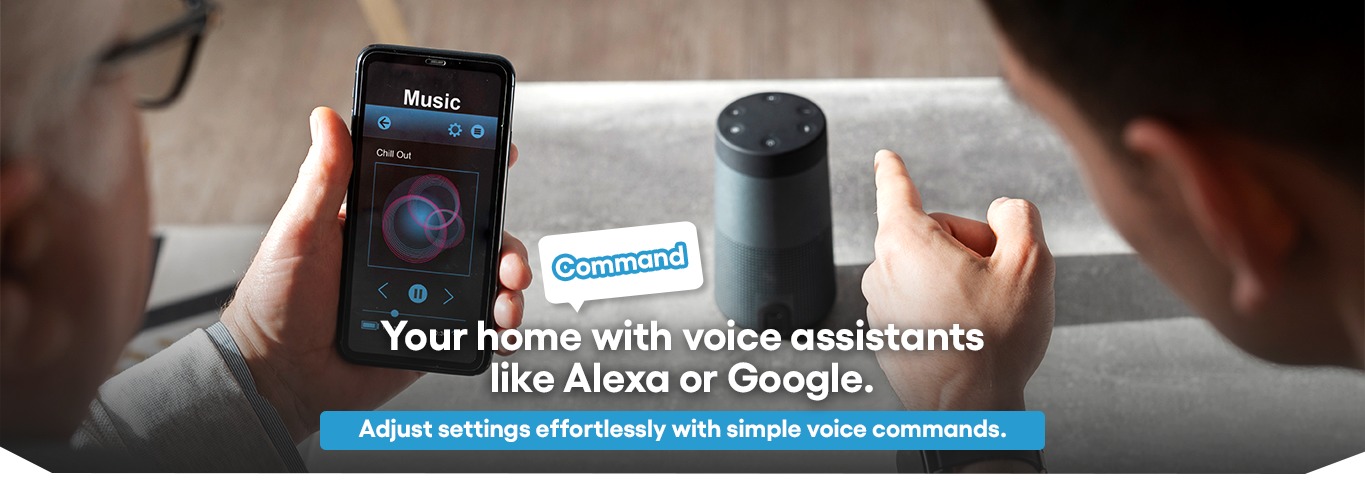
Voice control in a KNX home works by linking a voice assistant — Alexa, Google Assistant or Apple HomeKit — to the KNX bus through a KNX-IP gateway. The gateway turns a spoken command into the same KNX telegram a keypad or sensor sends, so "Alexa, good night" triggers the exact multi-room scene a keypad press would. It's one more input to your existing scene logic, not a separate, limited control layer.
Voice control in a KNX home automation system works by connecting a voice assistant — Alexa, Google Assistant, or Apple HomeKit — to the home's KNX bus through a KNX-IP gateway, which translates voice commands into the same telegrams that keypads and sensors use to control lighting, climate, blinds, and scenes.
This is a meaningfully different setup from "voice-controlling" individual standalone smart devices, and the difference affects what's actually possible. This guide explains how the connection works, what it enables, and how we set it up as part of a KNX project.
What Happens When You Give a Voice Command?
When someone says "turn on the living room lights" to a voice assistant connected to a KNX system, the command follows this path:
- The voice assistant's cloud service interprets the spoken command
- It sends the corresponding instruction to a KNX-IP gateway installed as part of the home's automation system
- The gateway translates this into a KNX telegram on the building's bus
- The relevant actuator (here, a lighting actuator) receives the telegram and switches the lights
This path is largely the same regardless of which voice assistant is used — the gateway is what makes the home's existing KNX devices "visible" to Alexa, Google Assistant, or HomeKit, without each device needing its own separate smart-home connection.
How Is This Different from Voice-Controlling Standalone Smart Devices?
Many homes have a mix of standalone WiFi smart bulbs, plugs, or switches that each connect directly to a voice assistant's app. That works, but it's a fundamentally different setup from voice control integrated through KNX:
| Aspect | Standalone Smart Devices (WiFi bulbs/plugs) | KNX-Integrated Voice Control |
|---|---|---|
| Connection | Each device connects individually to the voice assistant app | One KNX-IP gateway connects the entire bus |
| Scene control | Limited to "smart" routines built in the assistant's app | Full KNX scenes (lighting + blinds + climate together) triggered by voice |
| Adding new devices | Each new device needs a separate app setup | New KNX devices on the bus are automatically part of the same system |
| Non-lighting control | Often limited to plugs/bulbs/smart locks from supported brands | Climate, blinds, security zones — anything on the KNX bus |
| Reliability if the assistant is unavailable | Devices may be uncontrollable without the cloud app | Keypads, sensors, and schedules keep working independently of voice |
The key difference: in a KNX-integrated setup, voice is one more way to trigger the same scenes that keypads, schedules, and sensors already use — not a separate control layer with its own limited logic.
What Can You Actually Control by Voice in a KNX Home?
Once the KNX-IP gateway is configured, voice commands can trigger anything already part of the home's KNX scene logic:
- Lighting — individual lights, groups, or full scenes ("Good Night" can dim all lights to a pre-set level across multiple rooms)
- Climate — adjusting temperature setpoints or switching modes ("set the bedroom to 22 degrees")
- Blinds and shading — raising or lowering motorised curtains and blinds by voice, individually or as part of a scene
- Multi-action scenes — a single "Movie Time" can dim lights, close blinds, and switch on the AV system at once — the same scene a Basalte or ABB keypad might also trigger
What voice control does not typically replace is the keypad — both exist as parallel inputs to the same scene logic, and most households use a mix of both (voice when hands are busy, keypad for quick, precise control).
How Do We Set Up Voice Control as Part of a KNX Project?
Voice control integration is usually one of the final steps in a KNX project, since it depends on the scene logic already being defined:
- Confirm scene structure — voice works best when scenes (not just individual devices) are already programmed, since "Good Morning" or "Movie Time" map to these scenes
- Install and configure the KNX-IP gateway — this bridges the KNX bus to the voice assistant's cloud service
- Link the assistant account — the homeowner's Alexa, Google, or Apple Home account is linked to the gateway, which exposes the relevant devices and scenes
- Naming and grouping — devices and scenes are named the way the household will naturally phrase commands ("Living Room Lights", not a technical zone name)
- Testing — verifying voice commands trigger the correct scenes, including multi-action ones
How Does Voice Control Improve Accessibility for Elderly or Differently-Abled Residents?
For households with elderly family members or residents with mobility challenges, voice control offers a control method that doesn't require reaching switches, navigating an app, or operating a touch panel. Within a KNX-integrated system, this extends beyond lighting — climate adjustments, calling a "Help" or "Caregiver Alert" scene, or checking whether doors are locked can all be voice-accessible, using the same scene infrastructure built for general convenience.
A Real Example: Voice Control on a Villa Project in Gurgaon
On a villa project in DLF Phase 2, Gurgaon, we configured a KNX-IP gateway alongside the existing Basalte keypad system, linking it to the homeowner's Google Assistant account. The most-used voice commands turned out to be "Good Night" (a scene already programmed for the keypads, now also voice-triggered) and individual room lighting adjustments — while blind and AV control stayed primarily keypad-driven, since the homeowner found physical sliders more precise. This is a typical pattern: voice control extends an existing scene system rather than replacing keypad controls.
Conclusion
Voice control adds a genuinely useful input method to a KNX home automation system — but its value depends on the scene logic already being well-designed. A KNX-IP gateway makes voice assistants aware of the home's existing scenes and devices, turning "Alexa, good night" into the same multi-room action a keypad press would trigger. If you're planning a new home automation system in Noida, Delhi NCR, or Gurgaon, voice control is worth including in the initial scene-design discussion — even if it ends up being a secondary control method to keypads.
Related reading: how KNX integrates with Alexa & Google Home · touch panel vs keypad vs app vs voice · how KNX works
FAQs
Do I need a specific brand of voice assistant for KNX integration?
No — Alexa, Google Assistant, and Apple HomeKit can all connect to a KNX system through an appropriate KNX-IP gateway. The choice usually comes down to which ecosystem the household already uses for other devices.
Will voice control still work if my internet connection goes down?
Voice commands require an internet connection, since the assistant's cloud service processes the request. However, keypads, sensors, schedules, and locally-programmed KNX logic continue to function independently of internet connectivity.
Can voice control trigger the same scenes as my keypad?
Yes — this is the main advantage of KNX-integrated voice control. Voice commands and keypad presses both trigger the same underlying KNX scenes, so a "Movie Time" scene works identically whether activated by voice or by pressing a keypad button.
Does adding voice control require rewiring or new KNX devices?
Typically, just the addition of a KNX-IP gateway, which connects to the existing KNX bus. No changes to existing actuators, sensors, or keypads are needed.